Your money. A clearer picture.
Three Excel templates for paycheques, everyday spending and savings goals. Plan before payday, notice the everyday, follow your progress.
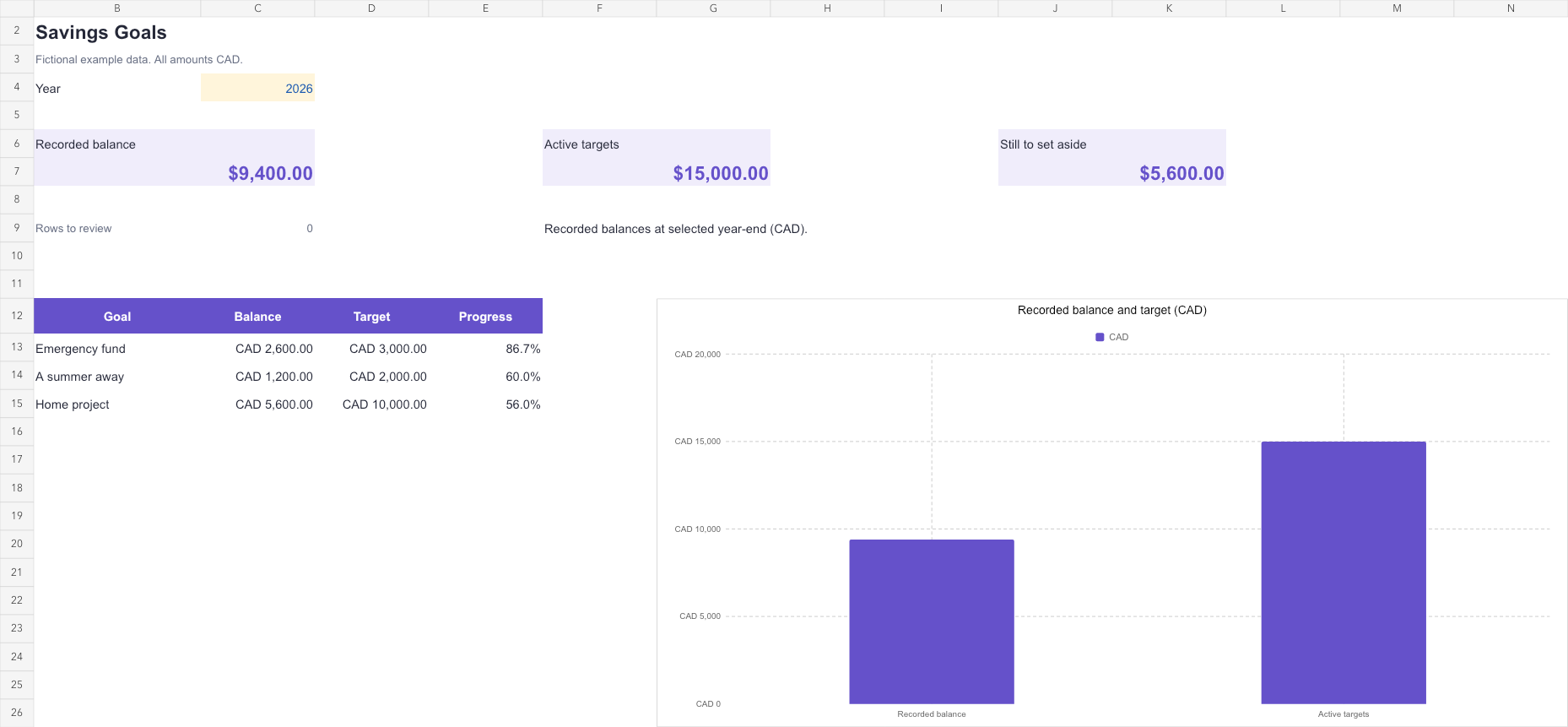
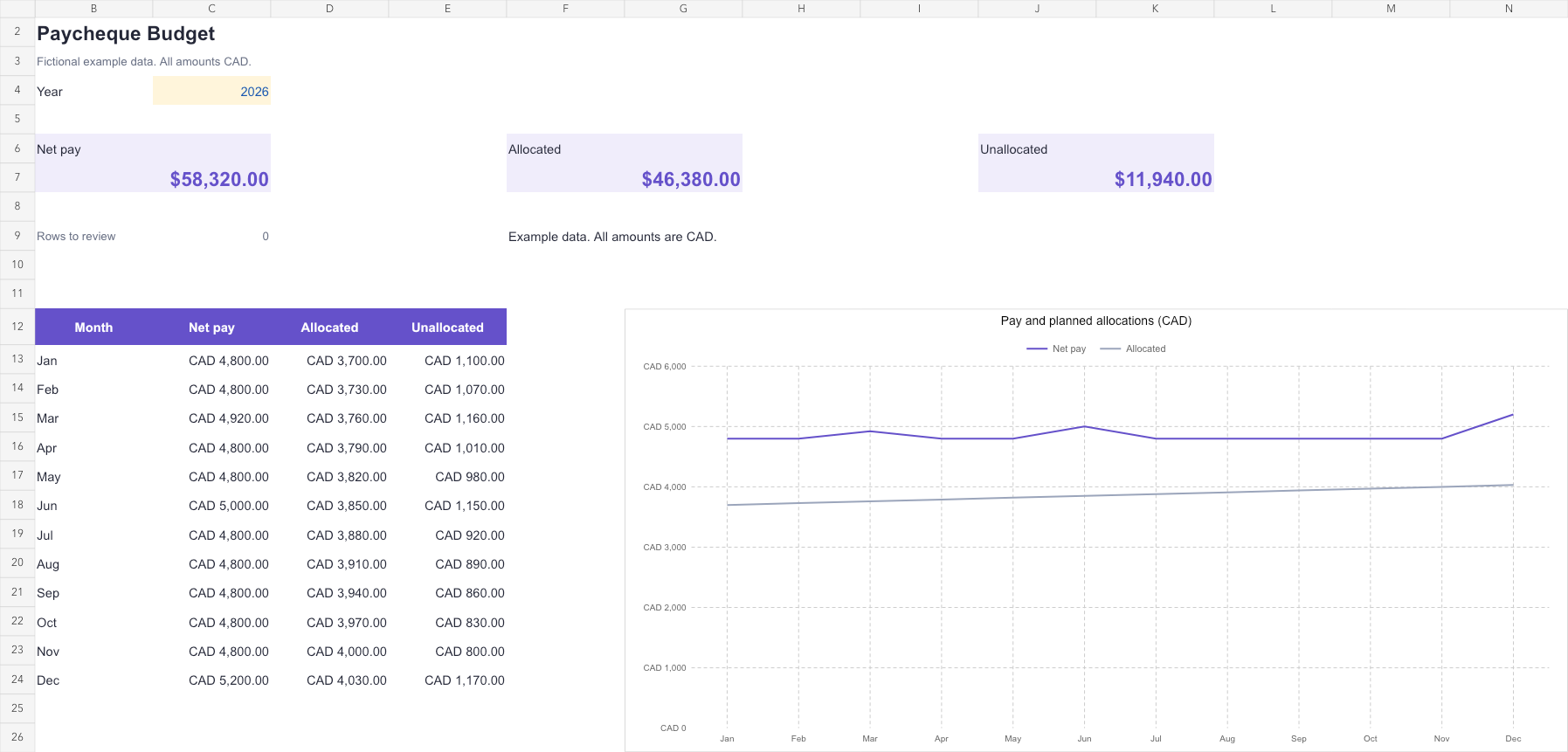
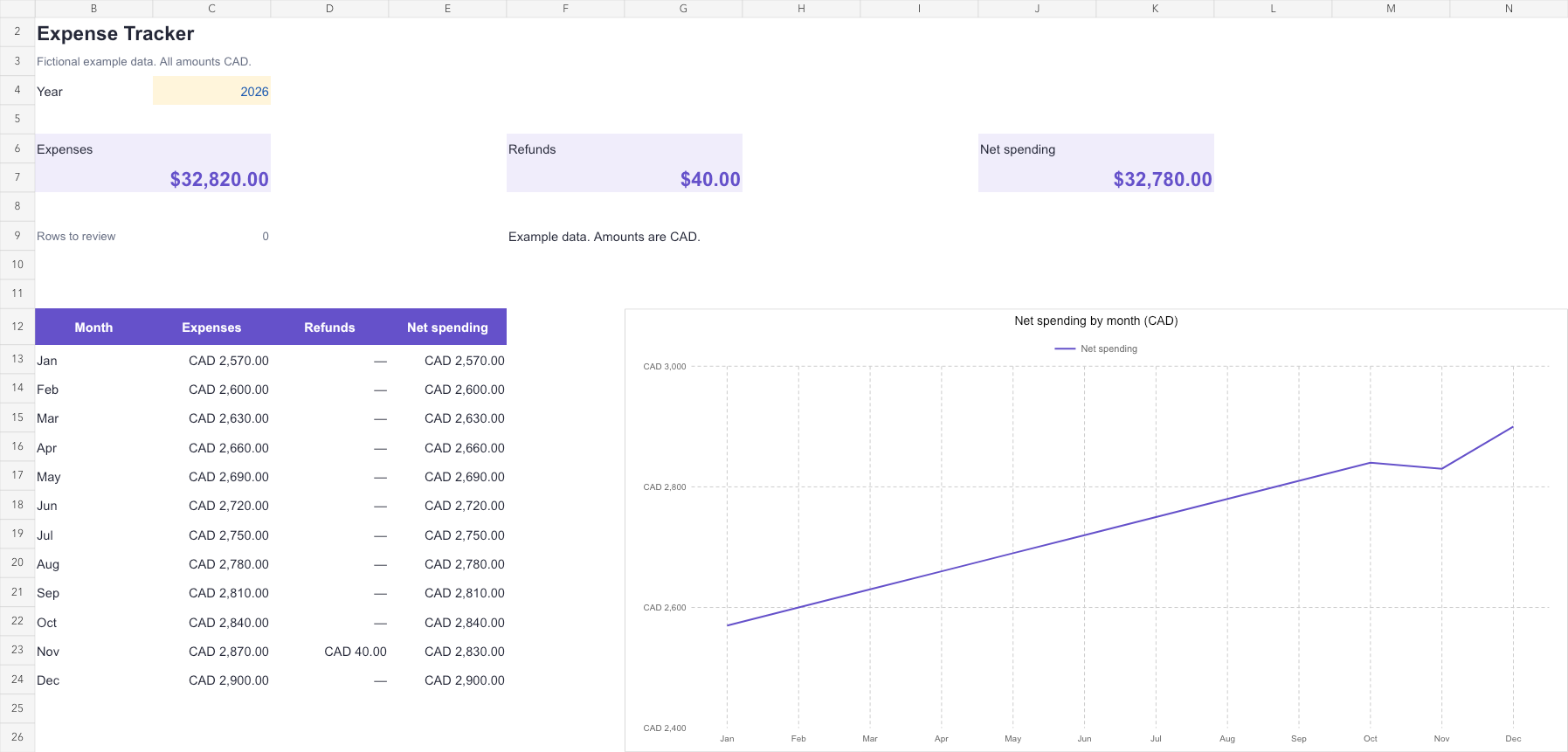
Three small tools. Each with one clear job.
For the plan before payday, the details in between, and the things you are saving for. These are real screens from the workbooks you receive, filled with fictional example data.
Give every paycheque a plan.
Start with what comes in. Give each paycheque a place to go, with room to adjust as life changes. See net pay, planned allocations and what remains; choose your dates and keep categories in your own words.
- Prepared rows120 paycheques
- Planned allocations600
- November exampleCAD 800.00 left
Example: November net pay CAD 4,800.00, planned allocations CAD 4,000.00, unallocated CAD 800.00.
All three templates included · CAD 19.00, once.
A clearer month starts with a few figures.
Try changing a number. This editable example follows the November plan in Paycheque Budget.
- Net pay
- CAD 4,800.00
- Total allocated
- CAD 4,000.00
- Left to plan
- CAD 800.00
A clear view of what you have planned, and what is still unallocated. The same November example is included in Paycheque Budget.
Open it. Make it yours.
No sign-up to manage. Just your own copies of the files.
- 1
Download the kit
After confirmed payment, download the ZIP and save your private recovery link.
- 2
Unzip. Open. Begin.
Extract the three Excel files. Start with the Guide and keep an untouched backup.
- 3
Bring in your own figures
Replace the fictional examples in the marked input cells. Save the workbooks wherever you prefer.
A considered place for your everyday numbers.
Three focused templates you can keep and reuse. A single purchase for the whole kit.
One-time payment. Applicable taxes included.
- Paycheque Budget
- Expense Tracker
- Savings Goals
- Examples and instructions in every workbook
- Private ZIP download and recovery link
Card payment through Stripe. By purchasing, you agree to the purchase terms. Read our 7-day voluntary refund policy. Sold by MORTGAGES MATTERS (NL000017).
Spreadsheet templates, not advice. Rowpolish helps you organise figures you enter yourself. It does not connect to banks, move money, calculate taxes or provide financial, tax or investment advice or recommendations, and it makes no promise of savings or other results.
Before you make it yours.
Need a hand? Write to [email protected] or visit Help & contact.
What is in the kit?
Three independent Excel .xlsx files: Paycheque Budget, Expense Tracker and Savings Goals. Each includes a dashboard, editable input sheets, fictional examples and a built-in Guide. The purchase is for version 1.
Is CAD 19 a subscription?
No. CAD 19.00 is a one-time payment for the complete kit, including applicable taxes. It does not include future versions or a promise of lifetime updates.
Which version of Excel do I need?
Use a desktop version of Microsoft Excel that supports .xlsx files and standard formulas such as SUMIFS and COUNTIF. The files have no macros or external connections. See Help for verification details and the optional Google Sheets import instructions.
Will the three files update each other?
They work independently. Paycheque Budget is for planned allocations, Expense Tracker is for actual spending, and Savings Goals is for recorded goal balances. There are no automatic links between them.
Can I use weekly or irregular pay dates?
Yes. Enter your net-pay receipt dates manually and give each receipt a unique ID. Allocations link to that ID, including when two payments arrive on the same day.
Does Rowpolish connect to my bank?
No. You enter your own records. The kit does not connect to banks, move money, calculate taxes or provide investment recommendations.
Where do my figures go?
Your Excel data stays wherever you save the files. We do not receive it. The website sample is processed in your browser without sending or saving the amounts.
How do I get the files?
After confirmed payment, your order page provides a private ZIP download containing the three workbooks. Save your personal recovery link to download again. No Rowpolish account is required.
Can I ask for a refund?
Yes. Contact [email protected] within 7 days for our voluntary full refund, including if you have downloaded the kit. Your applicable statutory rights are preserved. See the Refund Policy.
Your numbers. A fresh perspective.
Paycheque Budget, Expense Tracker and Savings Goals: CAD 19.00 once, applicable taxes included.